

Essential Maintenance Tips for Your Refurbished Laptop

Why Maintenance Matters for Your Refurbished Laptop
Refurbished laptops provide immense value, often costing 30 to 50 percent less than new units. While this allows students and small businesses to access high-performance hardware affordably, these devices reward regular care. With consistent maintenance, you can expect a reliable functional lifespan of 4 to 6 years.
At RentOPC, every machine is vetted for quality to ensure you start with a solid foundation. To help your equipment last, we provide a six-month warranty and free shipping across India. Following simple habits, such as keeping vents free of dust and managing battery cycles, ensures your device performs just as well on day one thousand as it did on the day it arrived.
Regular Physical Cleaning and Ventilation
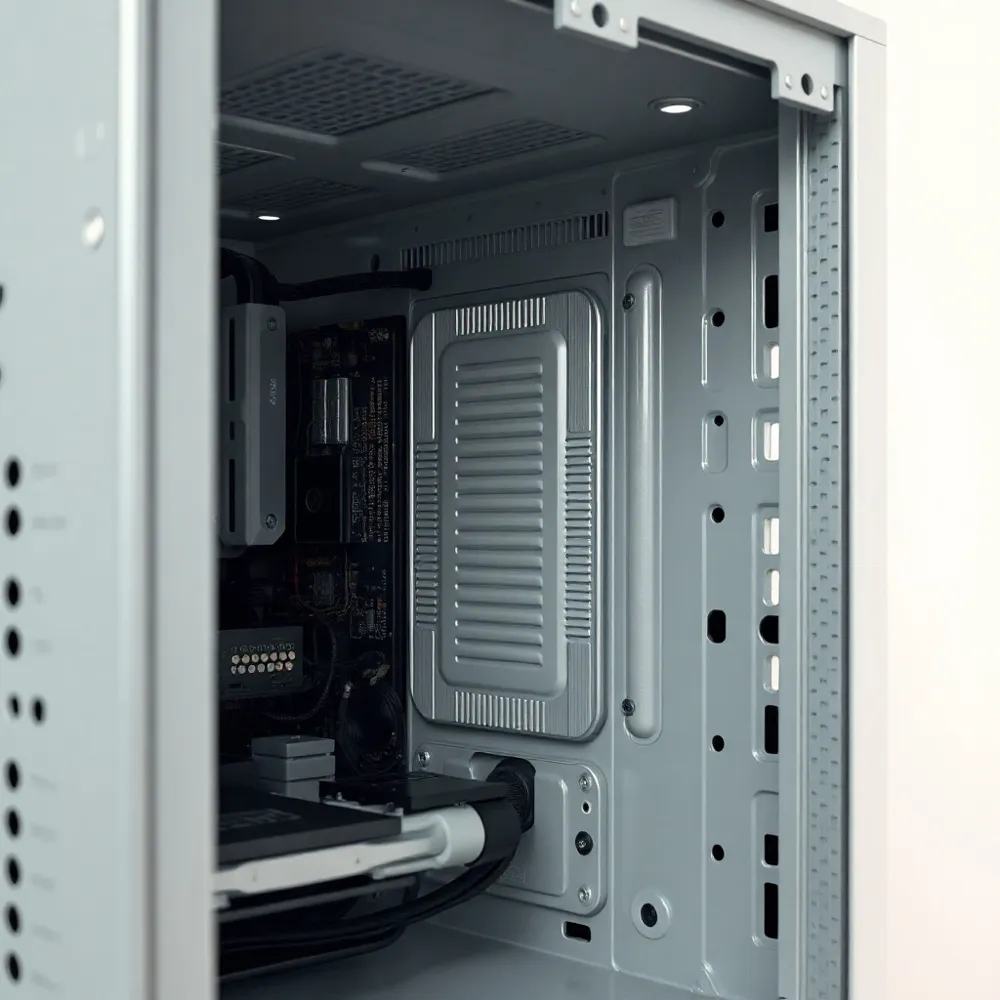
Maintaining your device through regular care is essential to extend its hardware lifespan. Every few months, clear dust from your vents and keyboard using a can of compressed air. When doing so, hold the fan blades still to prevent them from spinning too fast, which can damage the bearings. Always power off and unplug your laptop completely before you begin any maintenance to avoid accidental electrical damage.
For the screen and exterior, use a soft microfiber cloth to gently wipe away fingerprints and grime. Never spray cleaners directly onto the device. If you need detergent, apply a small amount to your cloth first, and strictly avoid ammonia-based products that can strip protective layers off your display.
Airflow is the primary enemy of heat buildup. Always use your laptop on a hard, flat surface rather than soft surfaces like beds or couches, which can block vents and cause thermal throttling. By keeping hardware components cool and clean, you ensure your investment remains reliable for years to come.
Battery Health: Best Charging Practices

For Indian consumers and small-business owners, managing your laptop battery effectively is vital for maintaining the performance of your machine. Modern devices typically use lithium-ion batteries that reach peak efficiency when you keep the charge level between 20% and 80%, a practice that significantly slows long-term capacity degradation, per Microsoft guidelines.
Avoid keeping your laptop plugged into an AC outlet at 100% capacity indefinitely. Constant charging stresses battery chemistry, which can lead to premature wear or even physical swelling. Instead, unplug your charger once the system reaches a full charge and reconnect it only when your levels drop below 50%.
For long-term storage, such as when you rent a laptop from RentOPC (which includes warranty coverage and free shipping), keep the battery at approximately 50% charge. Store the device in a cool, dry environment, as extreme heat is a primary driver of battery failure. If you notice your power capacity declining, you can gain clarity by generating a technical report. Windows users can run the [powercfg /batteryreport](https://learn.microsoft.com/en-us/windows-hardware/design/device-experiences/powercfg-command-line-options) command in the Command Prompt to analyze cycle counts and capacity data directly.
- Aim to keep your battery between 20% and 80% to minimize chemical stress.
- Disconnect the power adapter once fully charged to avoid excessive heat buildup.
- Perform a calibration cycle monthly by discharging to 20% and then recharging fully to help your system report capacity more accurately.
- Store unused devices at a 50% charge level to protect the cells during inactivity.
By following these tips, you can keep a RentOPC rental laptop in excellent condition — and take full advantage of the warranty and free shipping that come with it.
Keep Software and Drivers Up to Date

For Indian consumers and small-business owners searching for affordable tech solutions, keeping the software on your refurbished laptop from RentOPC current is one of the most effective ways to preserve performance. Enabling automatic OS updates ensures you receive critical patches that resolve security vulnerabilities and system bugs. For hardware stability, it is advisable to visit the manufacturer's website monthly to check for specific driver updates, particularly for your graphics card and chipset.
Firmware updates are equally important, as they frequently include enhancements to internal power management that can optimize battery runtime. You should also ensure that built-in security tools, such as Windows Defender, are active and configured to perform regular scans. This provides a baseline of protection without the need for additional resource-heavy software.
Routine digital maintenance helps maintain a responsive computing environment. Periodically clearing your browser cache, cookies, and temporary files will free up valuable storage space and prevent system slowdowns. At RentOPC, we ensure our devices are updated with fresh software during our inspection process, and we back every purchase with free shipping, a comprehensive warranty, and flexible rental options. Maintaining these habits ensures your machine continues to run smoothly long after purchase.
Optimize Storage and Performance
Maintaining snappy system responsiveness is easier than many users realize, even on older hardware. Start by checking your drive capacity. Keeping at least 20 to 30 percent of your total SSD storage free is essential to maintain optimal write speeds and prevent the performance degradation that typically occurs when drives reach near-full capacity.
If your device still uses a traditional mechanical hard drive, a reliable way to improve speed is upgrading to a Solid State Drive. This hardware swap improves boot times and application loading compared to traditional spinning disks. For those already on solid-state hardware, utilize built-in tools like Windows Storage Sense to automatically clear temporary files, update logs, and leftover system caches that accumulate over time.
Managing background processes also prevents unnecessary resource strain. Use Task Manager by pressing Ctrl, Shift, and Esc simultaneously to identify which applications consume the most CPU or memory. You can easily disable unnecessary startup programs in the same menu, ensuring your laptop dedicates power to the tasks you actually perform. If you find your current system struggles to keep up despite these optimizations, RentOPC offers models with customizable RAM and SSD upgrades, backed by RentOPC's warranty, free shipping, and rental options to suit your specific workload requirements.
Physical Protection and Safe Handling
Extending the life of hardware from RentOPC starts with creating a safe environment for your device. While our refurbished laptops undergo rigorous checks to ensure chassis and component integrity, your daily habits determine how long that pristine condition lasts. Transporting your device requires care, so always use a padded sleeve or bag to shield the exterior from drops and impacts.
When opening your laptop, use the center of the lid rather than the edges. This simple adjustment prevents uneven tension on the screen hinges, which is a common failure point for high-performance laptops. Before you close the lid for the day, check the keyboard area to ensure no items like pens, folders, or charging cables are resting on the keys. Even the slight pressure of a small object can lead to cracked LCD panels or permanent keyboard impressions.
Environmental hazards also pose a significant risk to internal circuits. Maintain a distance of at least 20 to 30 centimeters between any food or liquids and your workspace to avoid catastrophic spills. For power safety, connect your office gear to a surge protector or an uninterruptible power supply. These devices guard against electrical fluctuations that can damage components, providing a layer of protection that is especially important for business-grade equipment in areas with inconsistent power grids.
When to Seek Professional Servicing
While consistent upkeep keeps your device running smoothly, some issues require a specialist's touch. It is generally advisable to schedule a professional diagnostic and internal cleaning every 18 to 24 months to ensure long-term reliability. This professional oversight helps prevent component degradation and confirms that your hardware continues to meet the standards set during the initial procurement process.
At RentOPC, every device undergoes a rigorous 52 plus point quality check before it reaches your hands, ensuring each unit functions at peak performance from day one. However, if you notice persistent performance dips, you should watch for critical warning signs that indicate a need for expert intervention. These include unusually loud fan noises, frequent system crashes, or overheating that persists even after you have cleared external vents.
- Unusual fan noises or grinding sounds indicating bearing wear.
- Constant thermal issues where the device remains hot to the touch during light tasks.
- Unexpected system shutdowns or repetitive Blue Screen errors.
- Physical deformity or bulging near the battery or trackpad.
A swollen battery represents a serious safety hazard due to potential chemical gas generation. If you spot case bulging or battery expansion, you must stop using the device immediately, unplug it, and seek professional replacement—never apply pressure or attempt to puncture the enclosure. To protect your digital life during any hardware irregularities, maintain a robust backup strategy by syncing your work to cloud services like Google Drive or OneDrive. For physical security, regularly save copies of important project files to an external SSD. Proactive measures, combined with timely professional servicing, keep your hardware functioning efficiently well beyond its initial lifecycle.
Is Refurbished More Cost-Effective? Warranty Included
Investing in refurbished equipment is often a strategic move for small businesses, typically providing savings of 30% to 50% compared to purchasing brand-new hardware. By choosing to source your tech from RentOPC, you gain access to professionally tested and data-sanitised units that meet the performance demands of modern office roles. This approach significantly lowers initial capital expenditure, allowing your business to redirect those critical funds toward growth initiatives or scaling your operations.
Does RentOPC extend warranty protection on refurbished laptops and accessories purchased online?
Yes — when you use a eligible payment card to buy from RentOPC, you benefit from extended warranty benefits. RentOPC includes comprehensive coverage on most items, and many eligible payment cards add up to one year of extra coverage, provided the item comes with a baseline warranty of at least three months. This means your refurbished laptop, desktop, or accessory is protected for longer, giving you peace of mind without extra cost. For businesses that prefer flexibility, RentOPC also offers access to the latest tech with a smaller upfront commitment — and RentOPC customers can enjoy the same extended warranty on rented equipment.
Is it more cost-effective for a business to invest in new hardware or refurbished equipment?
Refurbished hardware is a highly practical, value-driven alternative to buying new. While companies like Dell or HP offer retail-priced new devices, RentOPC provides competitive pricing that often undercuts these traditional retail stores for equivalent specs. Our inventory, curated for quality and durability, offers a balance of reliability and affordability that empowers your team to stay productive without inflated overhead. By choosing RentOPC, you benefit from standard six-month warranty protections, the convenience of free shipping across India, and the option to rent instead of buy — all supported by the added security of RentOPC's extended warranty benefits.
Renting vs. Buying: Which Suits Your Needs?
What are the primary benefits of renting versus buying computing hardware for small businesses and students in India?
For many Indian consumers and startups, the decision to acquire new computing equipment often comes down to balancing performance needs with available funds. Renting through RentOPC allows you to access current technology without a large upfront payment. Unlike purchased assets that may become outdated, rental models let you upgrade to newer models as your needs change. Rental payments may also be tax-deductible for businesses, adding to the financial appeal.
RentOPC offers a selection of hardware suited for professionals and students. With free shipping across India and a six-month warranty included, you can get the equipment you need without spending extra on logistics or repairs. This is especially useful for short-term projects or early-stage businesses where flexibility and budget control matter most.
What shipping options are available for customers ordering hardware through RentOPC?
RentOPC makes it easy to get your hardware delivered. All orders include free shipping across India, so you don't have to worry about additional costs. Whether you are setting up a home office or equipping a startup team, your order is delivered to your doorstep. Every unit comes with a standard six-month warranty, giving you support and peace of mind throughout your rental period.
Long Life Starts with Smart Care
Your investment in a refurbished laptop from RentOPC can serve you for years with consistent, proactive maintenance. Regular care prevents common issues like thermal throttling, which Cornell University notes can lead to component degradation and reduced performance.
- Use a microfiber cloth and compressed air to keep vents clear, promoting steady airflow.
- Maintain lithium-ion battery health by keeping charges between 20% and 80% as advised by Microsoft.
- Keep software updated to ensure security and efficient hardware operation.
- Store data in redundant locations, such as cloud services or external drives.
While PCMag emphasizes proper cleaning techniques to protect screens and hardware, you also benefit from the peace of mind provided by our six-month warranty. Whether you choose to rent or buy, these simple habits extend the reliability of your device, ensuring maximum value from your purchase.
Related RentOPC guides
- How to Check a Certified Refurbished Laptop Before Buying
- Expert Tips for Buying Refurbished Laptops Safely