

A Simple Step by Step Guide to Upgrading Laptop RAM

Experience Smoother Computing with Simple Memory Upgrades
RAM acts as your computer's temporary workspace, holding data that the processor needs to access quickly. When your available memory is insufficient, the system relies on slower storage drives to swap data, which leads to noticeable sluggishness during multitasking. For users finding their current machines struggle with heavy workloads, an upgrade can restore responsiveness without the cost of a full replacement.
Common indicators that your device requires more memory include system unresponsiveness when loading multiple browser tabs, freezing during demanding tasks like video editing, or failure to run several applications simultaneously. If you notice these symptoms, upgrading your notebook's RAM is often a cost-effective path to improved performance.
While some models sold by competitors may restrict hardware changes, our catalog at RentOPC provides a curated selection of laptops designed for professional and student use, often featuring accessible hardware for those seeking flexibility. For businesses or individuals needing high-performance gear for a fixed project period, our rental service allows you to access powerful workstations without a large upfront capital investment. Every machine comes with a six-month warranty and free shipping across India, ensuring you receive a reliable solution tailored to your operational needs.
Understanding Laptop Memory and Identifying Your Needs
RAM acts as the primary workspace for your computer, holding data that the processor needs to access instantly. When you run out of physical memory, your system may turn to slower drive storage, which often creates noticeable lag during daily tasks. Upgrading this component is a highly effective way to extend the lifespan of your device, as noted in tips for upgrading and repairing a laptop.
For general productivity, such as web browsing and word processing, 8GB of RAM usually serves as a sufficient baseline. However, professional workflows involving 4K video editing, heavy multitasking, or complex software development often require 16GB, 32GB, or even 64GB of memory for smooth operation. RentOPC.com helps you find the right configuration, offering a range of new and certified refurbished laptops from brands like HP, Dell, and Lenovo to meet your performance needs.
Which brands and types of hardware are available for rent or purchase through RentOPC.com?
RentOPC.com offers a catalog of new and certified refurbished computing hardware, available for purchase or rental to suit students, professionals, and startups. Our inventory includes laptops, desktops, and servers from brands such as HP, Dell, Lenovo, Acer, and Fujitsu. Beyond core computing systems, we also provide tablets and essential peripherals such as docking stations, chargers, and gaming accessories to complete your workspace. Whether you need a short-term rental for a project or a reliable machine for long-term use, our selection provides dependable technology. Every purchase is backed by our six-month warranty and the added convenience of free shipping across India.
To identify if your current machine requires an upgrade, you can use the Windows Task Manager. By pressing Ctrl+Shift+Esc, you can navigate to the Performance tab to view your current memory usage and see how many physical slots are available. If you find your system regularly hitting its memory limit, checking your specific model's maximum capacity is the next important step before investing in new modules.
Checking Compatibility and Pre-Upgrade Safety Measures
Before you commit to a hardware upgrade, confirming compatibility is the most important step. Laptops typically require SO-DIMM modules, which are more compact than the standard DIMM sticks found in desktop towers. You must verify your machine supports the specific generation of memory, such as DDR4 or DDR5, as these are not interchangeable. Installing an incompatible module can result in system failure or physical damage to the motherboard.
Check if your hardware is actually upgradeable. Some ultra-thin devices utilize soldered RAM, meaning the memory is permanently attached to the system board and cannot be modified. If your machine allows for this, use diagnostic commands in the Windows Command Prompt to identify your specific limits and ensure you do not exceed the maximum supported capacity. If you prefer to avoid the technical risks of permanent hardware changes, RentOPC.com's rental laptops provide a hassle-free alternative, with every component fully tested and backed by a warranty.
Safety remains paramount during any hardware intervention. Always back up your critical data, and protect sensitive internal components from electrostatic discharge. Ground yourself by touching an unpainted metal surface or wearing an anti-static wrist strap before opening the chassis. Power down the device completely and disconnect the battery to eliminate the risk of electrical shorts.
- Verify your laptop model's manufacturer documentation for supported RAM speeds and maximum capacity.
- Ensure your work environment is clean, dry, and free from static-prone materials like carpets.
- Always use a plastic spudger to open the chassis rather than metal tools that may damage the casing.
- RentOPC.com offers a six-month warranty on all rentals, ensuring you receive a machine that is tested and ready for your workflow.
How does RentOPC.com ensure the quality and reliability of its certified refurbished laptops and desktops?
RentOPC.com ensures the quality and reliability of its certified refurbished laptops and desktops through a rigorous, multi-point inspection process that verifies every device meets high professional performance standards. Our dedicated technical team performs comprehensive hardware testing to guarantee that each unit is fully operational before reaching our customers. In addition to this 100% testing protocol, we provide a six-month warranty on most products to offer long-term peace of mind and consumer protection. We combine these strict quality controls with transparent service, including free shipping across India and an accessible rental model, to provide value and convenience for our users. By adhering to these professional standards, RentOPC.com creates a reliable, affordable computing experience for professionals, students, and small businesses alike.
Essential Tools and Step-by-Step Installation Process
Preparing for a memory upgrade requires more than just the new hardware. You will need a precision screwdriver set for removing chassis screws, a plastic spudger or prying tool to separate casing tabs without scratching the surface, and an anti-static wrist strap to protect your components from damaging electrostatic discharge. If you are not using a workspace with an anti-static mat, touch an unpainted metal surface on your laptop frame for at least 5 seconds before handling any hardware parts.
Before you open the device, ensure the system is shut down completely, not just in sleep or hibernate mode. Disconnect the power adapter and, if your model allows for it, remove the battery to ensure the motherboard has no residual charge. Once the laptop is open and the battery is disconnected, identify the memory compartment. Work cautiously, as internal cables can be sensitive, and use your tools only to gently release the casing or move wires aside.
When handling the SODIMM modules, always hold them by the edges of the printed circuit board. Never touch the gold contacts or the electronic components on the module, as oils and moisture from your skin can cause long-term connectivity issues. To replace an existing stick, pull the side ejector tabs outward until the module pops up at a slight angle. Remove it, then align the notch on your new memory stick with the ridge inside the expansion slot. Insert the module at a 30-to-45-degree angle, pushing it firmly into the slot until the contacts are fully seated, then press the module down until the side tabs click into place.
Does RentOPC.com provide free shipping for hardware orders across India?
Yes, RentOPC.com provides free shipping across India for all hardware orders, making it easier and more affordable for you to upgrade your technology. Whether you are a small business owner in a metropolitan area or a student located in a remote region, our shipping service ensures your equipment reaches you safely. We strive to remove barriers for our customers by covering delivery costs, allowing you to focus your budget on the high-performance hardware your work requires. This commitment to free delivery is part of our goal to provide a seamless, value-driven shopping experience for every Indian consumer. You can confidently shop our curated selection of laptops, servers, and accessories knowing that your order will be delivered nationwide at no additional expense.
Post-Installation and Troubleshooting Procedures
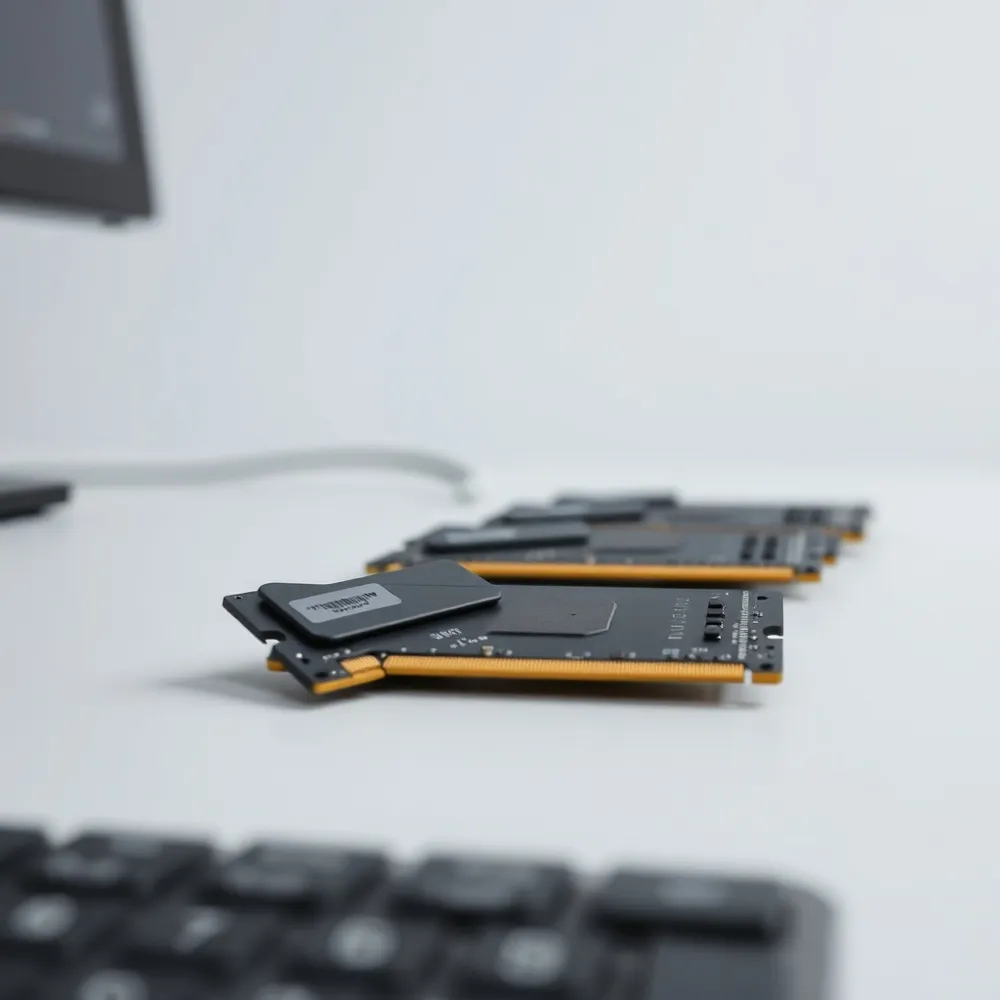
Once your new memory is seated, power on the system. You may notice an initial delay before the manufacturer logo appears on the screen. This is a normal part of the process where the computer performs memory training to synchronize the new hardware. If your laptop boots normally, open your operating system's system properties or task manager to confirm that the new capacity is fully recognized.
If the system fails to boot or issues occur, ensure that you have not mixed different brands or speeds of memory. Mixing modules is generally discouraged, as it often causes system instability or forces the hardware to default to the speed of the slowest installed stick. For the best reliability, we recommend sourcing matching memory kits. If you are a student or business owner seeking reliable performance without the guesswork, consider RentOPC.com's rental options, which offer pre-verified compatible laptops and desktops with warranty, free shipping, and flexible rental terms.
For advanced users, you might need to enter the BIOS settings upon startup to enable features like Extreme Memory Profile (XMP). This informs the motherboard to run the RAM at its advertised high-speed settings rather than conservative default speeds. If you encounter persistent boot failures after verifying the seat, try booting with one stick at a time to identify a potentially faulty module.
Why renting from RentOPC.com is a smart move for professionals
Renting computing hardware from RentOPC.com offers significant financial advantages by eliminating large upfront capital expenditures, allowing startups and professionals to preserve cash flow for other business needs. It provides great flexibility, enabling you to easily scale your inventory up or down based on project demands or team size without the burden of long-term asset ownership. Furthermore, RentOPC.com's rental agreements include maintenance and technical support, which reduces operational costs and downtime associated with in-house repairs. You also avoid technical obsolescence, as renting grants you constant access to the latest performance-grade hardware without the risk of asset depreciation. By choosing to rent from RentOPC.com, you simplify your tech management while benefiting from RentOPC.com's commitment to reliable, high-performance equipment, all backed by warranty and free shipping.
Maximize Your Laptop Value with Smart Upgrades and Reliable Support
Upgrading your memory serves as one of the most effective ways to extend the lifespan of an older notebook. By replacing sluggish hardware and adding capacity, you can significantly improve multitasking performance and overall responsiveness for demanding software applications, per tips for upgrading and repairing a laptop. This transition not only breathes new life into your system but also avoids the high cost of purchasing a completely new machine when your current hardware just needs a simple boost.
Many professionals and startup owners find that an outright purchase is not always the most practical path. RentOPC offers a flexible alternative by providing high-performance certified refurbished laptops that come with a six-month warranty and free shipping across India. Unlike generic retail options, we provide a curated selection of devices from top manufacturers that have been rigorously tested for reliability. This approach allows users to access high-quality equipment without the need for a large upfront investment.
If you are ready to enhance your computing environment, we invite you to browse our current inventory of laptops, desktops, and accessories at RentOPC. Whether you need a temporary high-performance machine for a project or a cost-effective long-term solution for your business, we prioritize affordability and convenience. Explore our latest models today to find a setup that matches your specific productivity requirements without breaking your budget.