

Simple RAM Upgrades for Faster Laptop Performance

Why Your Laptop Might Need a Memory Boost
Think of RAM (Random Access Memory) as your laptop's short-term digital workspace. It allows your processor to access data from active applications and files quickly, acting as a high-performance buffer between the CPU and your storage. When this temporary memory fills up, your system relies on virtual memory, which uses your storage drive to juggle tasks. Because storage is significantly slower than RAM, this process causes noticeable system sluggishness.
Before assuming you need new hardware, verify where the bottleneck lies. You can open Windows Task Manager by pressing Ctrl + Shift + Esc and checking the Performance tab. If you frequently see memory usage climbing toward the top of the chart while running basic programs, you likely need an upgrade. Persistent signs of insufficient capacity include frequent app crashes, web browsers freezing when multiple tabs are open, and significant lag during multitasking.
While many users look to expensive new purchases to solve these issues, choosing a certified refurbished device or an upgrade component from RentOPC offers a more cost-effective path. Whether you are a student or a small business owner, adding RAM is often the most practical way to breathe new life into an aging machine without the cost of a full replacement. If your device is beyond simple upgrades, our rental models provide a flexible way to secure the performance you need without a large upfront investment.
Identifying Compatibility and Hardware Limitations
Before you commit to a memory upgrade to boost your system performance, you must first determine if your laptop is physically capable of supporting new modules. Many modern, ultra-thin laptops feature soldered-on memory, which is permanently fixed to the motherboard and cannot be expanded. Conversely, most professional-grade machines from manufacturers like HP, Dell, Lenovo, or Acer are designed with accessible slots, making them excellent candidates for hardware improvements.
To verify your hardware potential, you can use built-in Windows diagnostic tools. Running the command 'wmic memphysical get MaxCapacity' in the Command Prompt acts as a reliable way to view the maximum memory your system can support. For those who prioritize peace of mind, RentOPC provides a selection of certified refurbished laptops that have been tested to ensure they meet your performance expectations. If you have questions about whether a specific model supports further memory expansion, the support team at RentOPC can help clarify.
Technical Specifications and Memory Standards
Correct identification of the memory standard is vital for a successful upgrade. Laptops typically utilize SO-DIMM (Small Outline Dual Inline Memory Module) form factors, which are distinct from the standard DIMM modules found in desktop PCs. Furthermore, you must ensure you purchase the correct generation of RAM, such as DDR4 or DDR5, as these are not interchangeable due to differences in pin counts and voltage requirements.
Mixing generations, speeds, or capacities often forces your system to downclock to the performance level of the slowest installed module, negating the benefits of your upgrade. If you are comparing options for your business, remember that new laptops are ideal for specialized, resource-heavy software, while certified refurbished corporate machines can deliver cost savings without sacrificing the durability required for standard daily tasks. Because RentOPC includes a six-month warranty on most products, you can upgrade or transition your fleet with reduced risk.
Practical Tips for a Safe Memory Installation
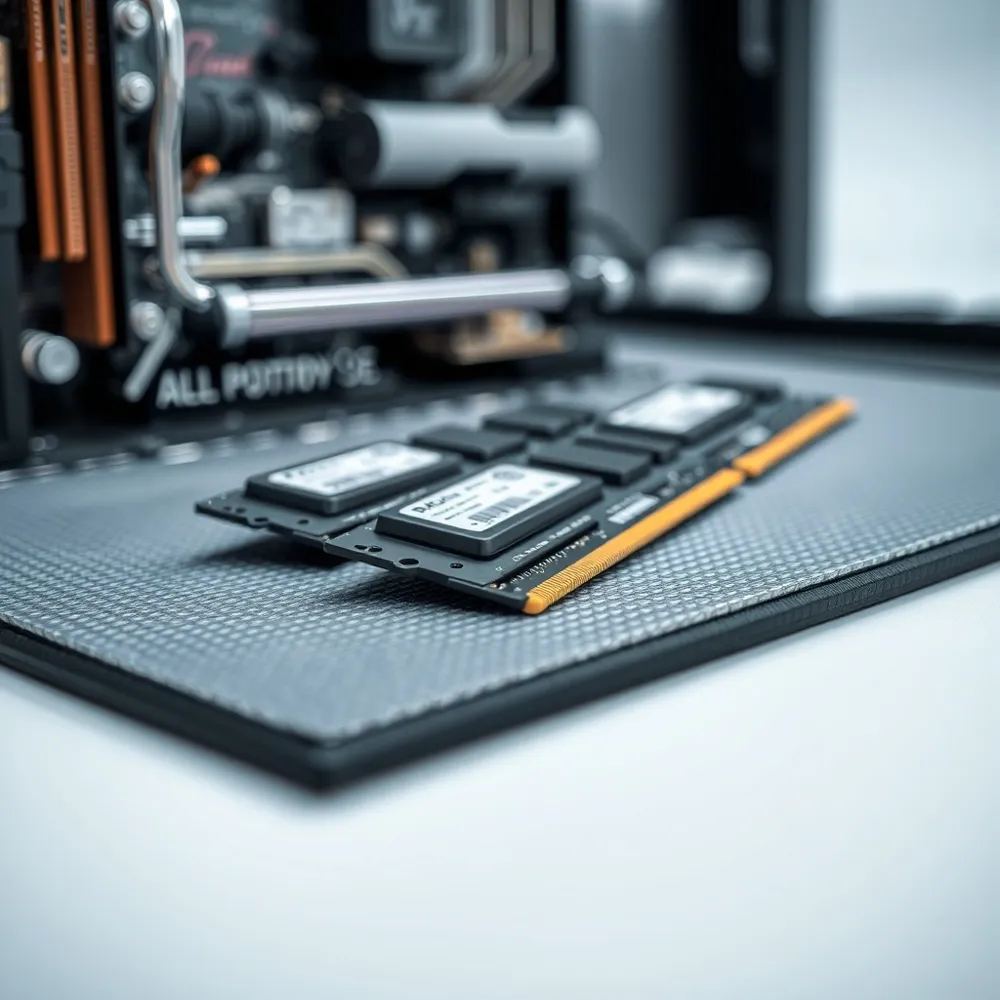
Before you begin your upgrade, create a clean, well-lit, and static-free workspace. Electrostatic discharge can damage components, so wear an anti-static wrist strap throughout the installation. If you do not have a strap, touch a large unpainted metal object to ground yourself periodically.
To open your laptop chassis, use a small Phillips-head screwdriver to remove screws, but avoid prying with metal tools that could scratch or short the circuitry. Instead, use a non-conductive, flat plastic tool (often called a spudger) to gently pry open the casing. Always power down the device completely and disconnect the battery before touching any internal components.
Data security is important during hardware changes. Back up your critical files to an external drive or cloud storage before you begin. Once the laptop is open, locate your current memory modules and carefully release the retention clips. Align the notch on your new memory module with the corresponding key on the motherboard slot, then press down firmly until the clips snap into place and lock the component securely.
Maximizing Performance with Professional Guidance
Achieving peak responsiveness requires more than simply inserting any memory stick you find. For many users, optimizing their setup means leveraging dual-channel memory configurations. By installing two identical modules, your system can effectively double the memory bandwidth, allowing for significantly faster data rates compared to a single-module setup. At RentOPC, we prioritize providing matched memory kits that ensure your hardware functions in this efficient dual-channel mode, helping you bypass the bottlenecks that plague standard single-stick configurations.
Selecting the right capacity and frequency, measured in MT/s (megatransfers per second), is critical for aligning your machine with your specific workflow requirements. While basic office tasks often suffice with 8GB, power users or small-business owners engaged in graphic-heavy work or multitasking may find 16GB or 32GB essential to prevent the system from relying on slow virtual memory. When you choose hardware from RentOPC, you benefit from our curated inventory that ensures the memory frequency matches your system's processor ceiling, preventing the performance drops that occur when mismatched components are forced to run at the speed of the slowest stick.
- Check your BIOS or the Windows System Information menu to ensure the newly installed RAM is fully recognized by your motherboard.
- Perform a validation test using built-in diagnostic tools to confirm the stability of your updated architecture.
- If you encounter boot issues or frequent system errors, double-check that your modules are securely seated and identical in their technical specifications.
When to consider professional installation services
While many upgrades are straightforward, complex chassis designs or the presence of soldered memory can complicate the process. Opening a device incorrectly risks damaging internal components or voiding your manufacturer warranty. Many professionals in India find that renting hardware from RentOPC is a superior alternative to manual upgrades. Renting provides immediate access to high-performance machines that already feature optimized configurations, entirely removing the risk and labor associated with self-installation. With our six-month warranty and free shipping across India, you gain reliable technology without the maintenance headaches that often accompany aging or self-modified equipment.
What are the primary benefits of renting computing hardware compared to purchasing it outright? Renting computing hardware provides a flexible, cost-effective solution that allows startups and professionals to avoid heavy upfront capital investments, freeing up cash flow for other business-critical needs. It grants immediate access to the latest, high-performance technology, ensuring your team stays competitive without the burden of equipment depreciation or the need for frequent hardware upgrades. Rental models offer the unique agility to scale your inventory up or down based on your current workforce or project requirements without long-term ownership risks. Additionally, rental services often include comprehensive technical support and maintenance, significantly reducing downtime and removing the hassle of internal repair management. When you choose to rent, you also benefit from our commitment to reliable service, ensuring you get the high-quality tools you need with the added convenience of free, prompt shipping across India.
Comparing Upgrades to Infrastructure Investments
Deciding whether to upgrade existing internal components or invest in new hardware infrastructure is a common dilemma for growing businesses in India. Often, simple performance issues like slow application loading or stuttering multitasking can be resolved by increasing your physical RAM. If your team faces persistent bottlenecks while managing multiple programs, adding capacity is a cost-effective alternative to replacing your entire device. However, if your slow performance stems from long wait times during system boot or data access, replacing an aging hard drive with a solid-state drive is frequently the most impactful investment you can make.
Scaling your hardware strategy
As your business expands, your reliance on technology shifts from basic document management to more intensive operational needs. Entry-level laptops may serve a startup during its early months, but as team size increases, those machines often struggle to keep up. When deciding between scaling your current hardware or upgrading to professional units, consider the nature of your daily workload. If your team relies on high-resolution editing, large database compilation, or complex software development, investing in hardware designed for these high-processing tasks provides a better long-term return than incremental component upgrades. For startups that need immediate access to powerful tools without large upfront costs, renting high-performance laptops and workstations from RentOPC provides a flexible path to scale your business capabilities while preserving capital.
How can I determine if I need a professional-grade server or a high-performance desktop for my startup? Match your hardware choice to your daily operational requirements: if your startup needs to manage centralized data, host internal applications, or ensure 24/7 reliability, a professional-grade server helps reduce the risk of data loss and supports multi-user access. Conversely, if your team primarily focuses on individual high-processing tasks like design or software development, a high-performance desktop is the more efficient choice. Servers offer reliable redundancy and continuous uptime that standard PCs cannot match, whereas desktops are optimized for individual productivity. To help you decide, consider whether you need a dedicated hub for file sharing and network security or simply more raw power for single-user workloads. At RentOPC, we offer both options for purchase or rental to match your specific business scale, backed by our six-month warranty and free shipping across India.
Ensuring Reliability Through Reliable Retailers
Selecting the right component is only part of your hardware journey. Where you purchase your equipment is equally important for avoiding faulty hardware and ensuring long-term stability. Reputable retailers, such as RentOPC.com, offer quality assurance that informal marketplaces often lack. When you acquire hardware from a standardized source, you gain the benefit of pre-tested components that meet manufacturer requirements for your specific machine.
Purchasing certified refurbished products via your eligible payment card provides excellent peace of mind. Many items come with a comprehensive six-month warranty covering functional defects from the retailer, and paying in full with your eligible payment card may extend that warranty by up to one additional year. This protection ensures that vital components like the motherboard, processor, and display are shielded against technical failures. The dual-layer security makes certified refurbished hardware a reliable and cost-effective choice for Indian students and small businesses. Check your eligible payment card's specific coverage terms to maximize these benefits and protect your investment for the long term. Plus, when you use your eligible payment card, you often enjoy free shipping across India and access to flexible rental or EMI options that make budgeting easier.
How does the warranty period work for certified refurbished products purchased through RentOPC?
The value of a warranty extends beyond simple repair costs. It serves as a verification of hardware integrity. By choosing a provider that includes clear terms and reliable support, you remove the risk of receiving unsupported modules or components that may not match your model's timing or voltage specifications. Whether you are scaling a startup or outfitting your home office, the combination of a high-quality product, RentOPC-backed free shipping across India, and transparent rental models provides a reliable alternative to the unpredictability of secondary-market sales.
- Verify the specific model number of your laptop before purchase to ensure the module is fully compatible.
- Check your eligible payment card's benefits portal to confirm 'Purchase Protection' or 'Extended Warranty' coverage for electronics.
- Maintain all digital receipts and warranty documentation from RentOPC in a secure, accessible folder.
- Opt for professional installation if you are unsure about internal safety to ensure your component warranty remains intact.
Final Thoughts on Investing in Your Laptop Future
Upgrading your laptop memory is often the most cost-effective way to extend the lifespan of your machine. By providing your processor with a faster digital workspace, you can resolve common issues like system freezes, sluggish application loading, and multitasking bottlenecks. For many professionals and students in India, this simple boost avoids the need for a premature full system replacement.
At RentOPC, we recognize that small businesses and students need reliable, high-performance computing without the strain of significant upfront investments. While traditional retailers may sell static hardware at higher margins, our focus is on curating affordable, robust technology solutions. Whether you choose to purchase or utilize our flexible rental services, you gain the peace of mind that comes with our six-month warranty and free shipping across India.
Taking control of your hardware configuration ensures your setup remains capable of meeting your evolving professional demands. By choosing durable components and leveraging cost-conscious models, you preserve your budget while maintaining the pace of your work. We remain committed to helping you make informed decisions that protect your productivity and investment over the long term.